
Previously we showed how we can build Xcode applications on the CLI. In this post, we will look at how to automate setting the version of our application so we can release new versions using CI.
Updating the build script to include a version number
When we last left off, we had a script that would build our application and create a .app file. We now want to be able to set the app version too so we can release new versions automatically.
To do this we need to set CURRENT_PROJECT_VERSION. This is actually less straight forward than we would like.
Overriding the CFBundleShortVersionString or CFBundleVersion does not seem to stick and is reverted. It seems Xcode 13 and 14 is wedded to CURRENT_PROJECT_VERSION and MARKETING_VERSION.
However, setting the Version and Build in the General tab of the project settings does make modifications to the project file (BuildingAppsOnTheCli.xcodeproj/project.pbxproj)
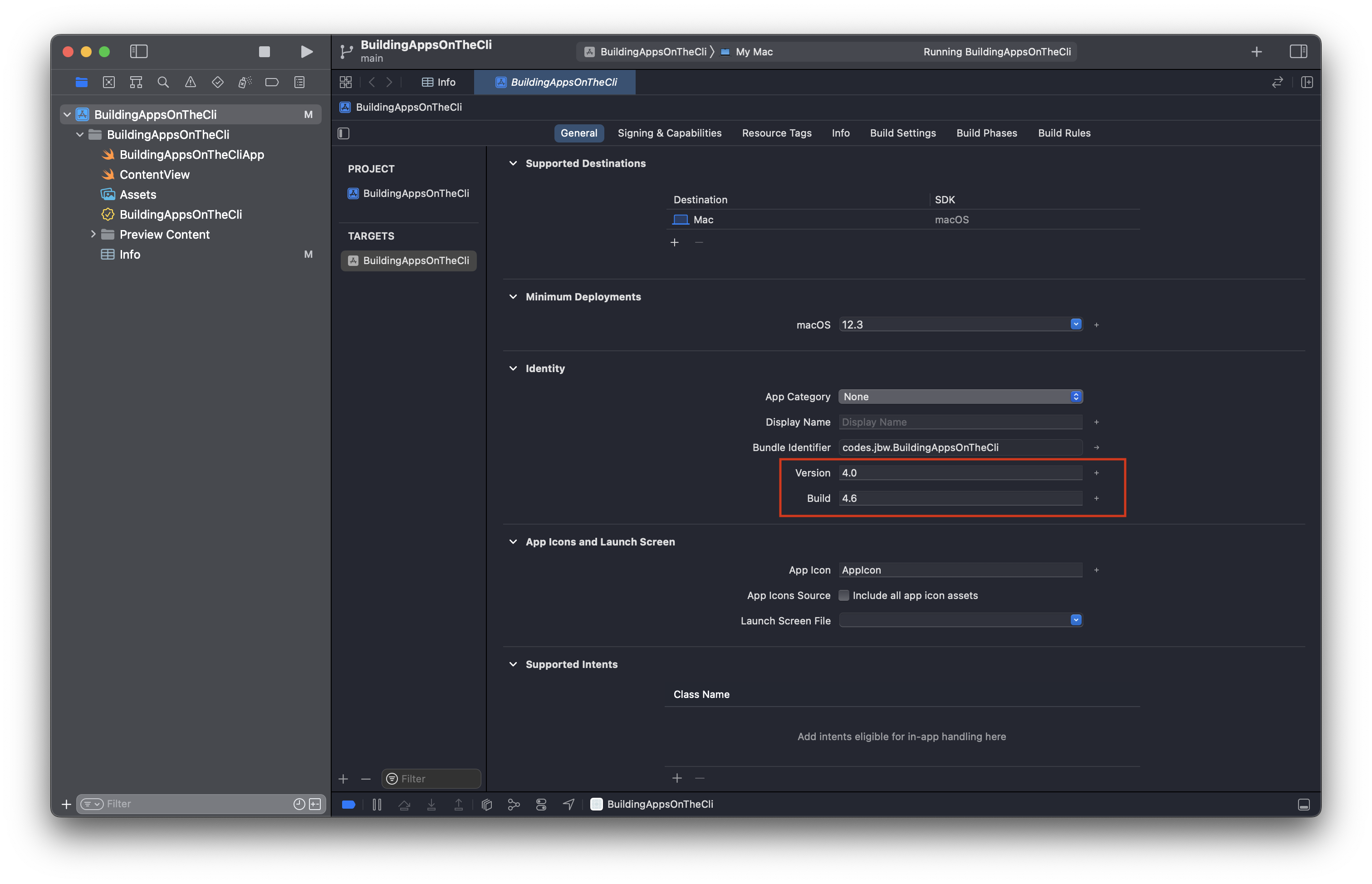
Below is the diff of the project file after updating the Build field to 3.0.0. Build is the CURRENT_PROJECT_VERSION.
--- a/BuildingAppsOnTheCli.xcodeproj/project.pbxproj
+++ b/BuildingAppsOnTheCli.xcodeproj/project.pbxproj
@@ -272,7 +272,7 @@
CODE_SIGN_ENTITLEMENTS = BuildingAppsOnTheCli/BuildingAppsOnTheCli.entitlements;
CODE_SIGN_STYLE = Automatic;
COMBINE_HIDPI_IMAGES = YES;
- CURRENT_PROJECT_VERSION = 1;
+ CURRENT_PROJECT_VERSION = 3.0.0;
DEVELOPMENT_ASSET_PATHS = "\"BuildingAppsOnTheCli/Preview Content\"";
ENABLE_PREVIEWS = YES;
GENERATE_INFOPLIST_FILE = YES;
@@ -297,7 +297,7 @@
CODE_SIGN_ENTITLEMENTS = BuildingAppsOnTheCli/BuildingAppsOnTheCli.entitlements;
CODE_SIGN_STYLE = Automatic;
COMBINE_HIDPI_IMAGES = YES;
- CURRENT_PROJECT_VERSION = 1;
+ CURRENT_PROJECT_VERSION = 3.0.0;
DEVELOPMENT_ASSET_PATHS = "\"BuildingAppsOnTheCli/Preview Content\"";
ENABLE_PREVIEWS = YES;
GENERATE_INFOPLIST_FILE = YES;
Knowing this, we at least have a way of changing the version number in an automated way by updating the project.pbxproj file using sed.
APP_VERSION=2.0.0
sed -i .bak 's/CURRENT_PROJECT_VERSION.*;/CURRENT_PROJECT_VERSION = '$APP_VERSION';/g' BuildingAppsOnTheCli.xcodeproj/project.pbxproj
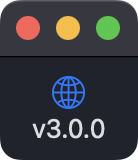
To wrap up here is a modification to our example app to pull through the version into the app and display it in the UI.
struct ContentView: View {
  var body: some View {
    VStack {
      let buildNumber = Bundle.main.object(forInfoDictionaryKey: "CFBundleVersion") as! String

      Image(systemName: "globe")
          .imageScale(.large)
          .foregroundColor(.accentColor)

      Text("v\(buildNumber)")
    }
    .padding()
  }
}
Bringing it all together
Taking the build script from the previous post and combining it with the versioning script we can now build and version our application.
rm -rf builds

APP_VERSION=2.0.0
sed -i .bak 's/CURRENT_PROJECT_VERSION.*;/CURRENT_PROJECT_VERSION = '$APP_VERSION';/g' BuildingAppsOnTheCli.xcodeproj/project.pbxproj

xcodebuild clean archive -scheme BuildingAppsOnTheCli -configuration Release -archivePath builds/archives/BuildingAppsOnTheCli.xcarchive
xcodebuild -exportArchive -archivePath builds/archives/BuildingAppsOnTheCli.xcarchive -exportPath builds/exports/BuildingAppsOnTheCli -exportOptionsPlist BuildingAppsOnTheCli/Info.plist
Source code for this post can be found here.